To comply with TPT guidelines, we cannot award guaranteed points or rewards for purchases. BUT we partnered with TPT to create an even more exciting structure:
 Every tracked purchase enters a massive monthly Smart RaffleHundreds of winners every month. So many raffles, odds are with you!End-of-month awards reaching thousands of Smart Points. This setup is intentionally designed to create A LOT of winners, with prizes reaching thousands of Smart Points for hundreds of users monthly.
 Monthly TPT Reward: 400k Smart Points & x50 TPT Evals
Awards will be issued at the end of each month. You will be notified via email of your rewards.
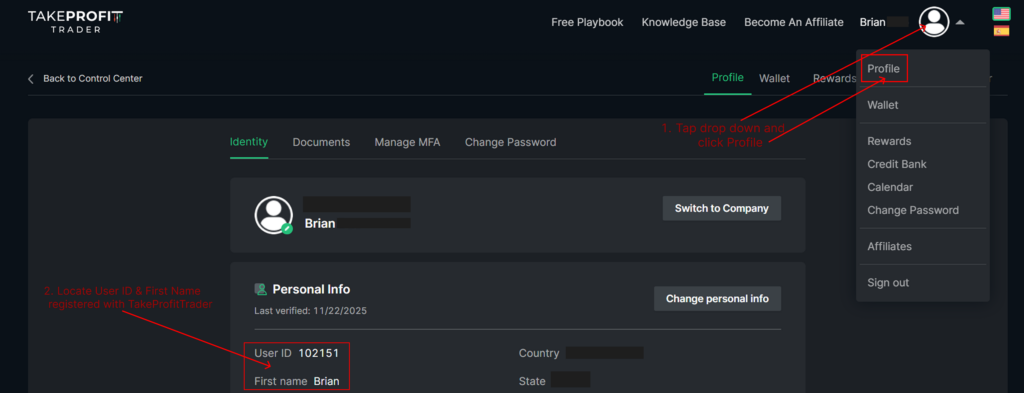
Method A: User ID (Recommended)
Log in to your TakeProfitTrader account, then click the profile icon in the top corner and select Profile from the dropdown.
On the Profile page, you’ll find the details we need to sync your rewards with your TakeProfitTrader account: User ID and First Name.
You can get reward sync with TPT using the User ID method in our submission below. If you aren’t able to submit because of maximum attempts and you’re not already synced, you can email support@smartpropfirm.com and we’ll manually adjust your submission and sync sync your rewards.
Please include the following in your email:
Your TakeProfitTrader email
Your SmartPropFirm emaiil
Your User ID (as registered on your account)
Your First Name (as registered on your account)
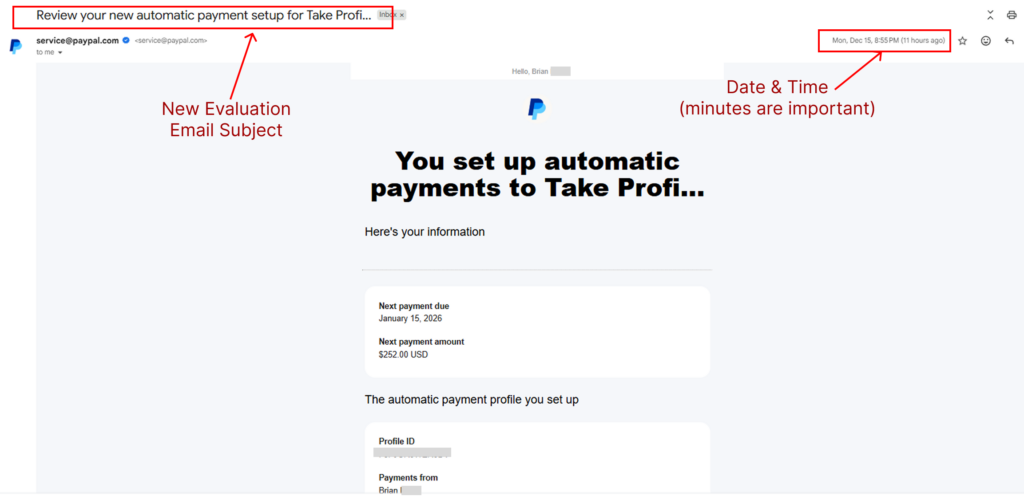
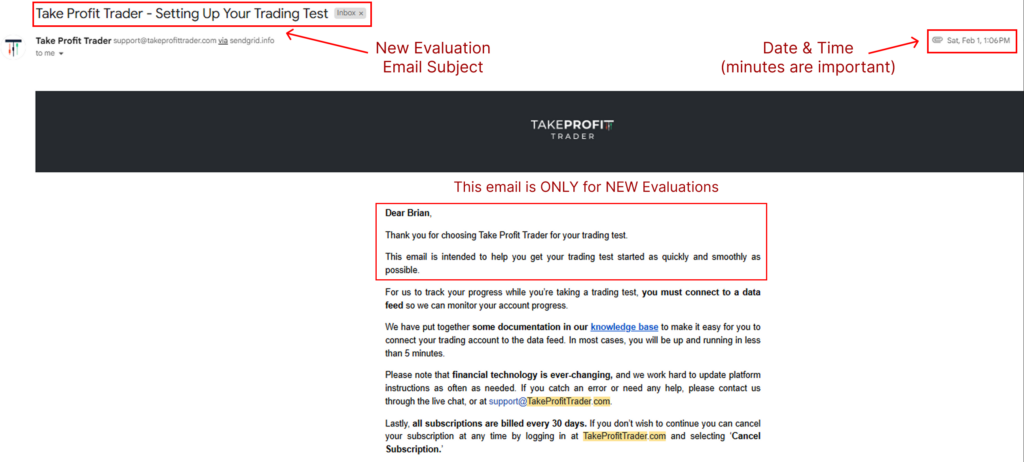
Locate the order confirmation in your email:
The date and time should be entered exactly as outlined in the confirmation email. Check the details highlighted in red within the email for accuracy.
By following these steps, you ensure that your order can be quickly verified and processed for rewards.
For New Purchase Evaluations Emails:
 For New Purchase PayPal Emails: